
Photometric Stereo on Artificial Leather: Color vs. Grain Shape
 kotai2003
From a single capture, FORESIGHT STEREO® gives you the color pattern of embossed artificial leather and the shape of its grain as separate images. When we zoomed in, the two turned out to be different shapes entirely: what looks like broad bands and dark islands in color appears as a network of thin, sharp grooves in 3D.
Here is what we saw, and why it matters if you inspect embossed materials.
The problem: the grain pattern is the background
Embossed grain is a busy background. On a normal color image, shape-related irregularities such as scratches, flattened or irregular embossing, foreign particles, and wrinkles can blend into the color variation of the grain itself. So how do you look at shape alone?
A recent inquiry about artificial leather surfaces prompted us to revisit images we had captured earlier.
What we imaged
- Sample: red artificial leather with embossed grain, sold as a material for bags. A standard, off-the-shelf piece, imaged as-is. Not a defect sample.
- System: TR-100 AI visual inspection system, using FORESIGHT STEREO technology
- Date: October 6, 2026
- Field of view: approx. 50 mm square; close-ups are a cropped area of approx. 12 mm square at the center
One capture produces four outputs:
- Live (color): what a regular camera sees
- 2D Texture (grayscale): surface color and pattern with shading removed
- 3D Surface (grayscale): surface relief rendered like an embossed relief
- Surface Normal (color): surface orientation encoded as color
Full field of view: shading vs. grooves
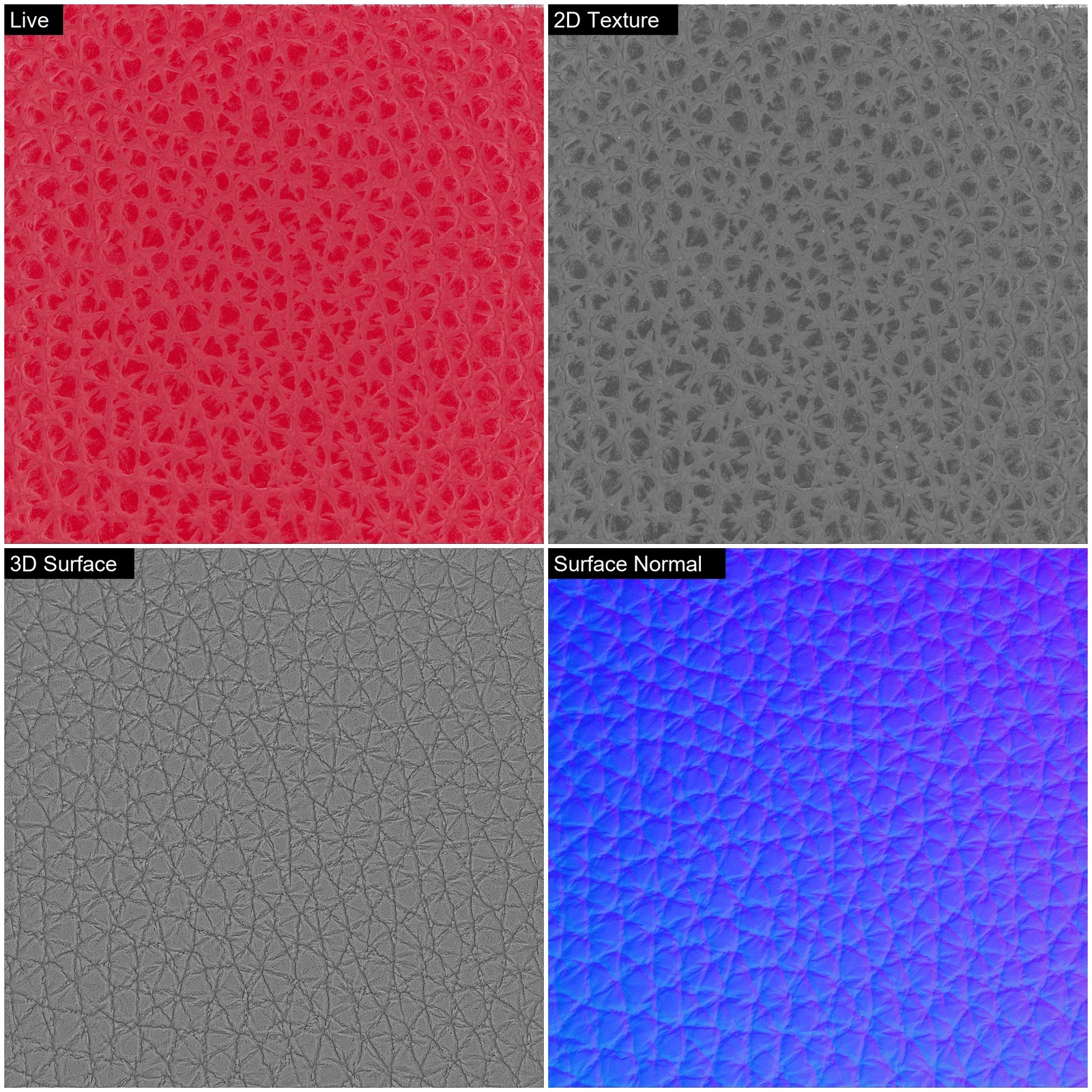
In Live, the grain reads as color variation: bright red bands surrounding darker red islands. 2D Texture turns this gray but keeps nearly the same light-and-dark pattern.
3D Surface is different. The color variation disappears, and the grooves of the grain show up as a uniform network of thin lines forming polygons, evenly distributed across the whole field. Surface Normal shows each raised grain cell as a polygon in shades of blue to purple, reflecting the slope of its surface.
Close-up: the pattern and the relief are not the same shape
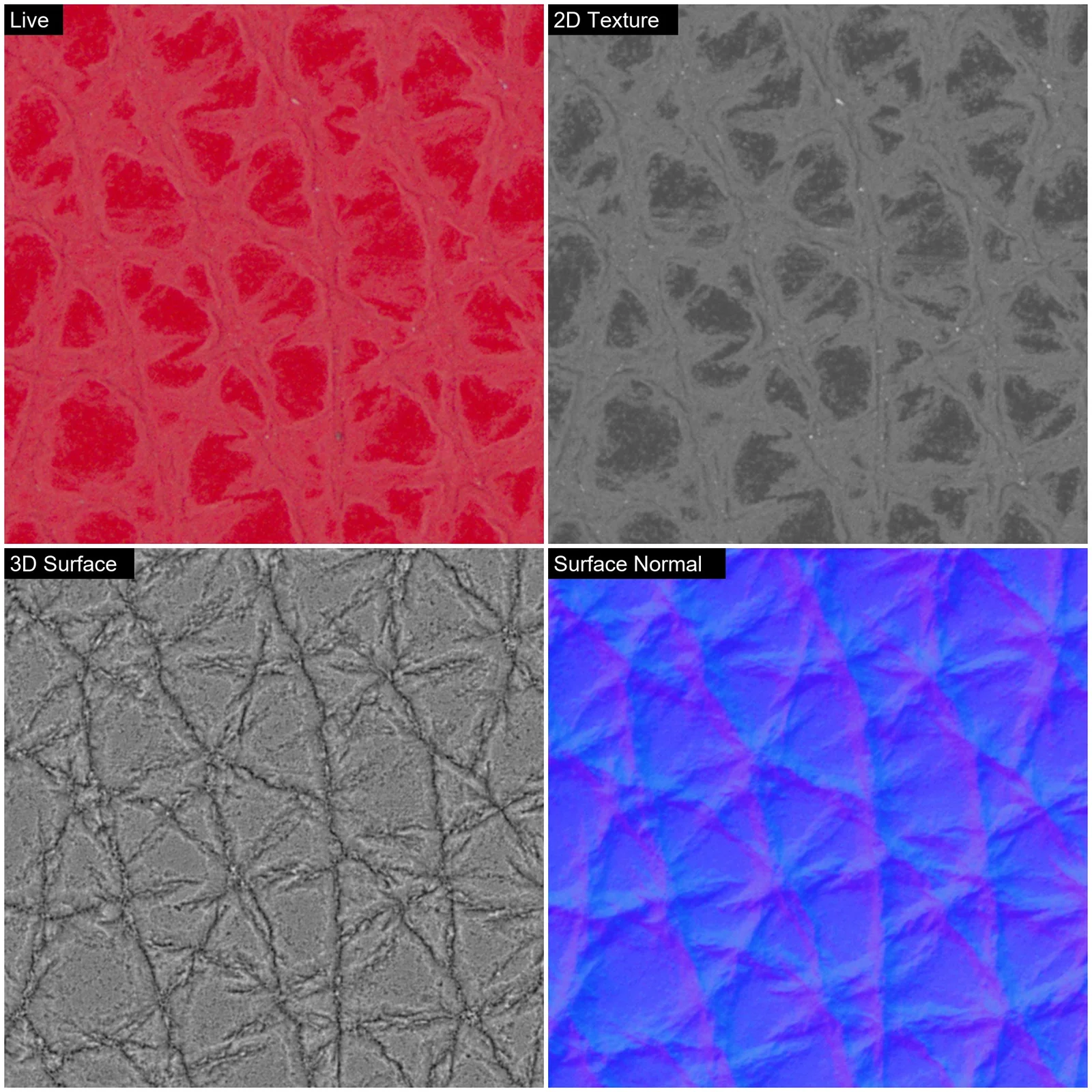
This is where the difference becomes clear.
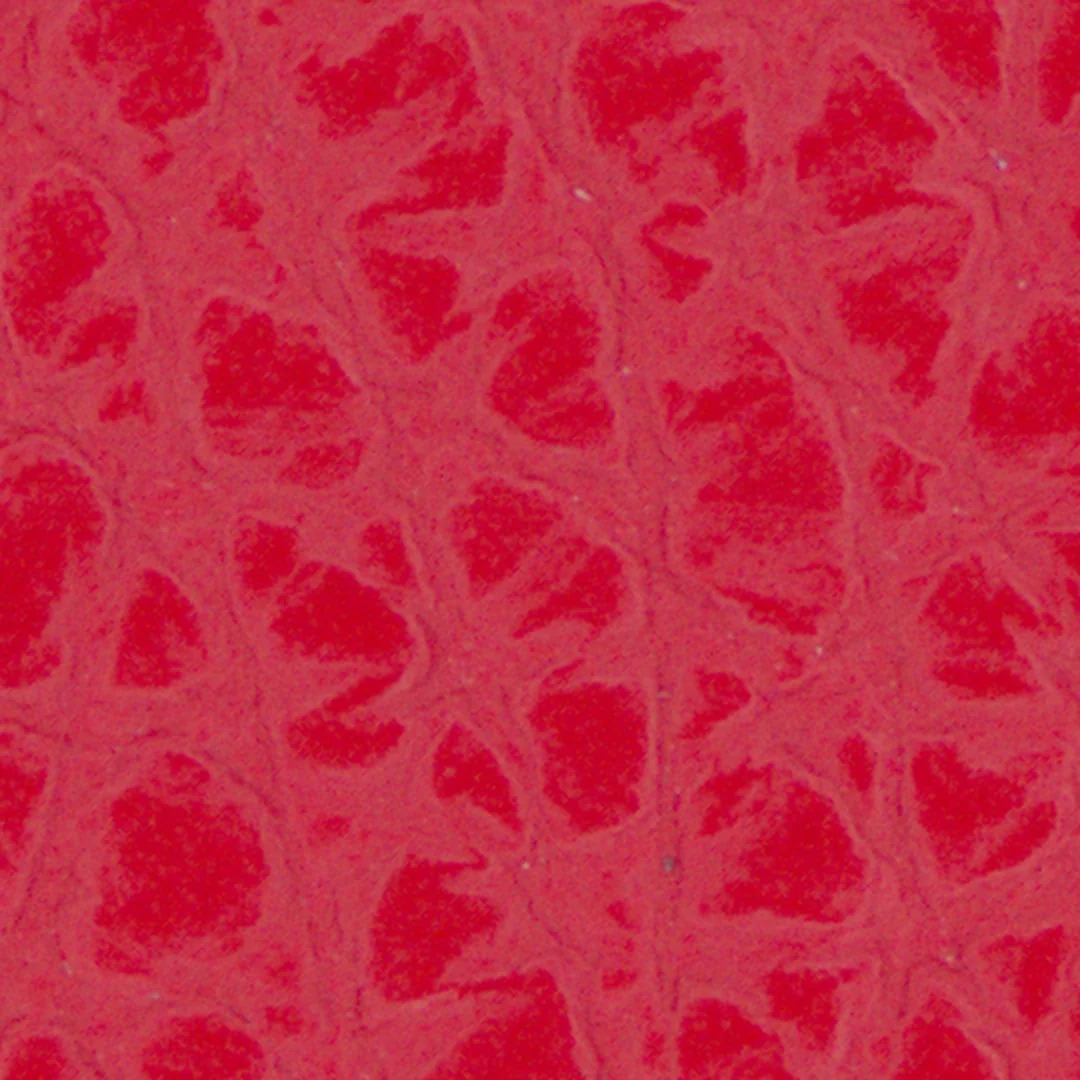
Live shows dark red islands and bright red bands of noticeable width. This is the "grain pattern" the eye picks up.
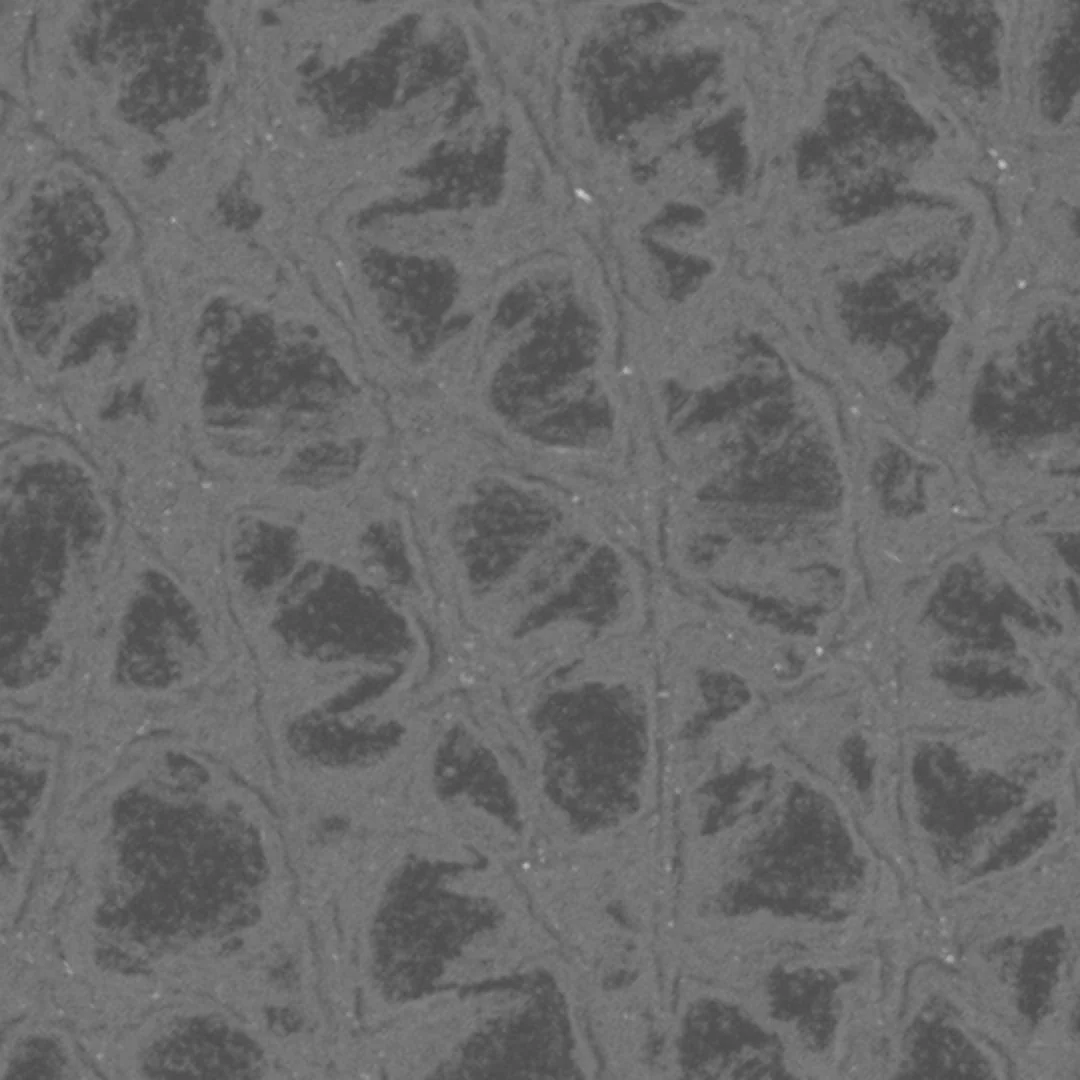
2D Texture removes shading, yet the same broad island-and-band pattern remains almost unchanged.
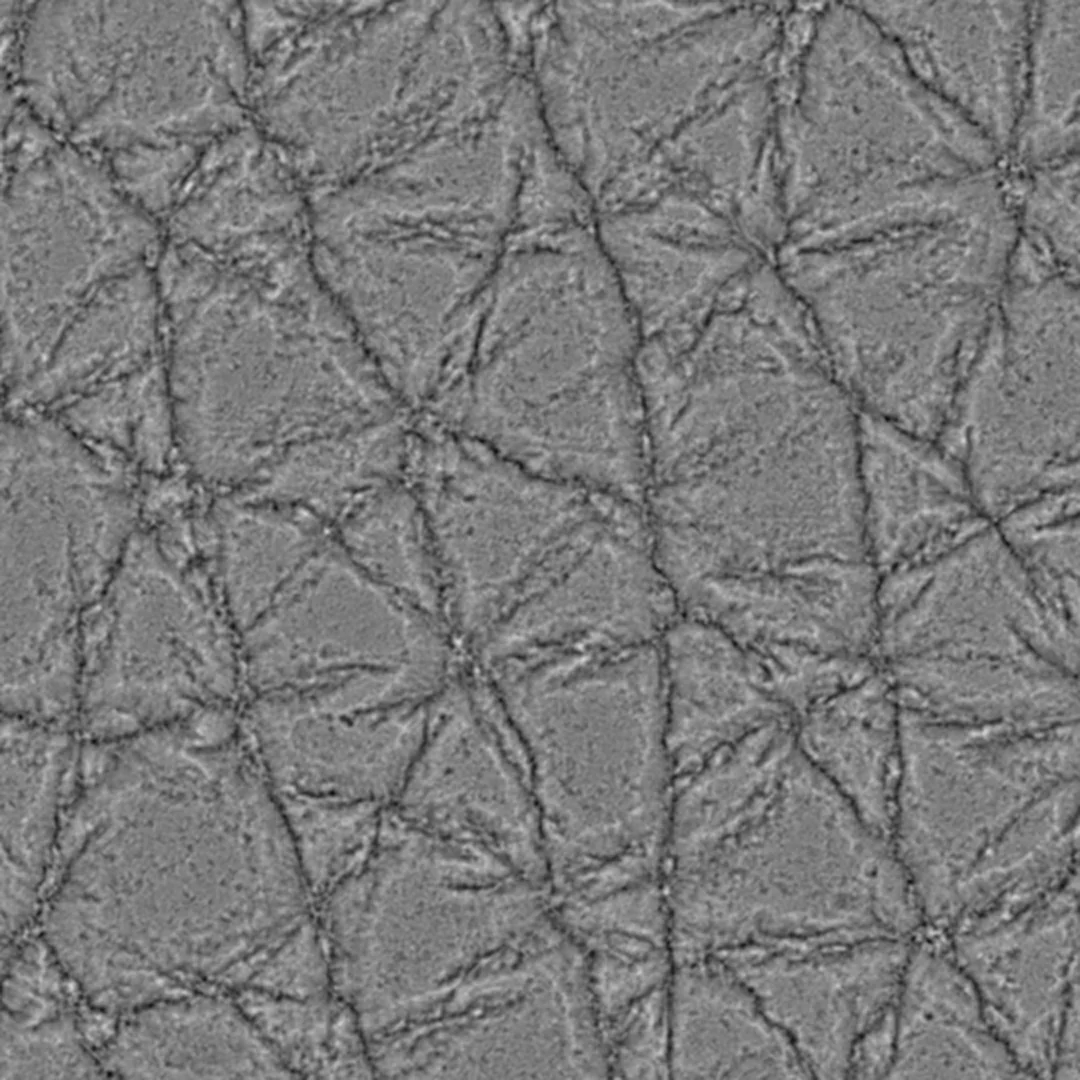
3D Surface shows neither bands nor islands. Instead, thin, sharp groove lines connect into polygons. The color pattern and the groove network are simply different shapes. What you see in color is not the actual relief.
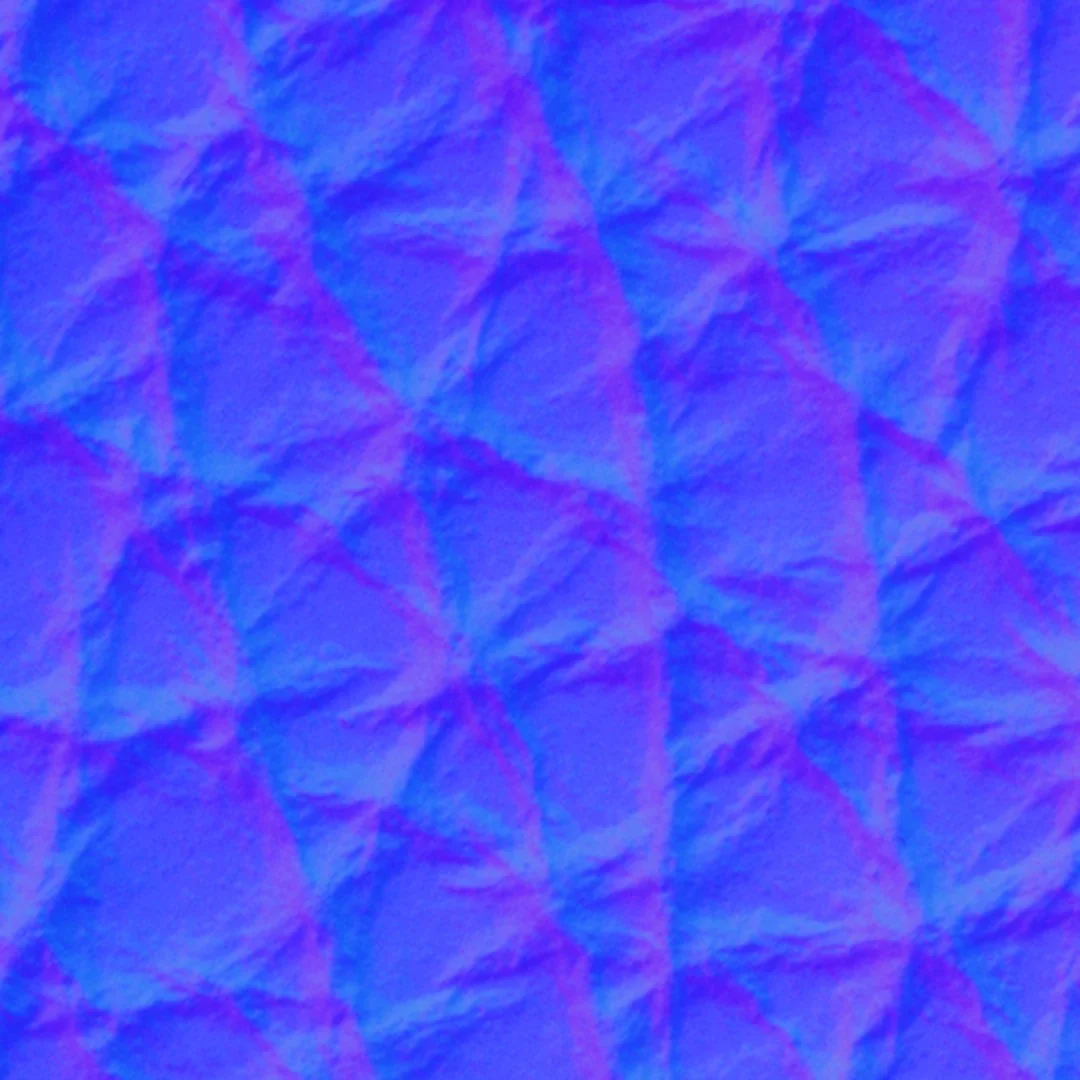
Surface Normal colors each groove-bounded cell according to which way it faces, so every grain cell reads as a small mound.
How one capture separates color from shape
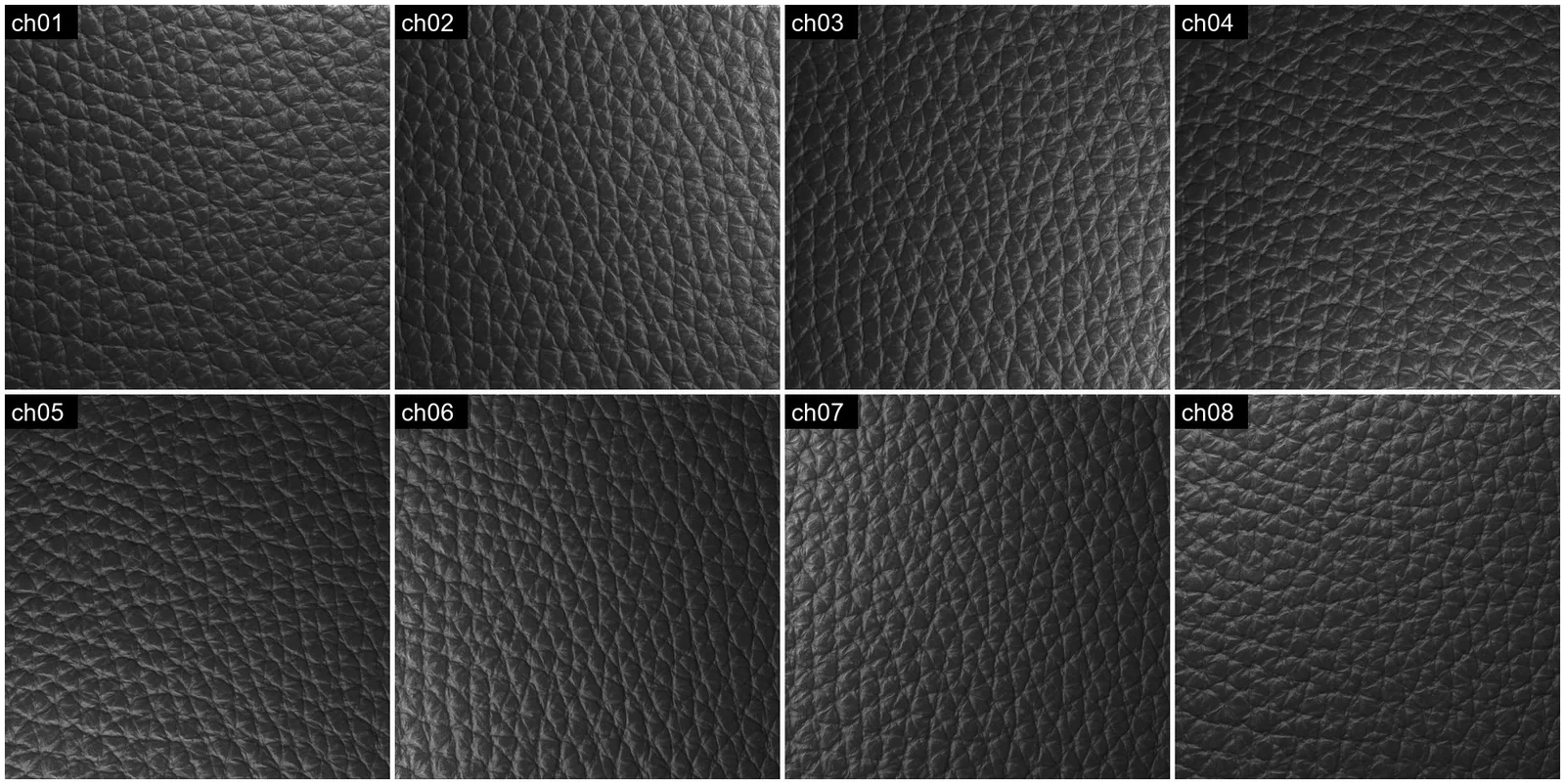
All four outputs are computed from eight grayscale images, captured while the lighting direction steps around the sample in eight directions. Side by side, you can see the lit side rotating from frame to frame.
This is photometric stereo. With the camera and sample held fixed, only the lighting direction changes. By comparing how the brightness of each point changes across the images, the system estimates which way the surface faces, known as the surface normal. A conventional image mixes color with relief shading; multiple lighting conditions let orientation and reflectance be estimated separately.
What this could mean for leather inspection
Seeing shape as its own image may be useful when considering shape-related inspection items:
- Scratches
- Flattened or irregular embossing
- Foreign particles
- Wrinkles
Color unevenness and stains without relief would still call for the Live and 2D Texture images.
Summary
The color pattern you see on embossed artificial leather and its actual relief are two different things, and a single FORESIGHT STEREO capture shows them as separate images. This was a standard sample; evaluating samples with real irregularities is the next step.
Working with embossed leather or synthetic materials? Send us a sample and we will image it for you. Contact us or learn more about TR-100.
